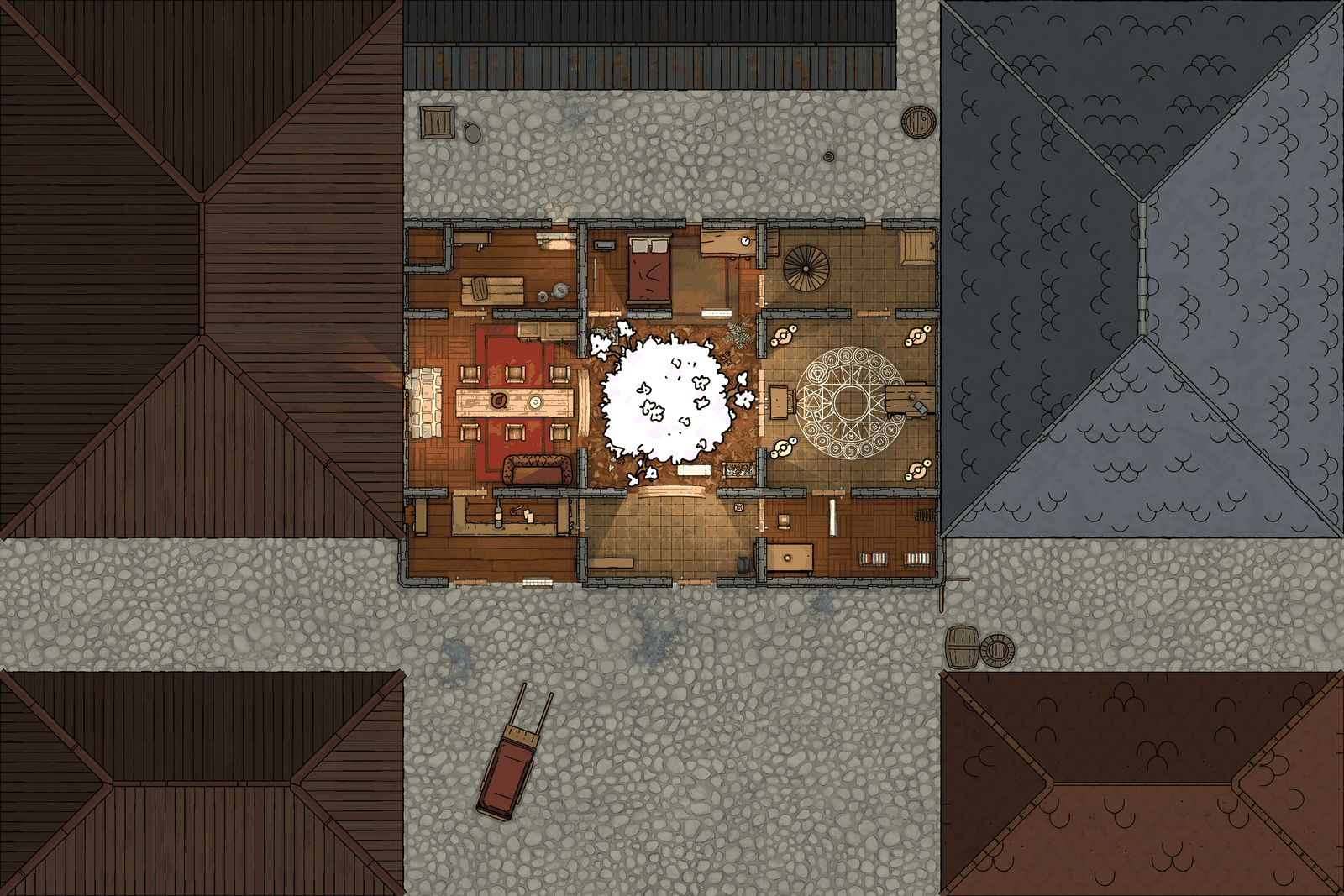
Dungeondraft is a map editor for tabletop RPG battlemaps. dungeondraft-mcp (my fork of brann-dev/dungeondraft-mcp) lets an LLM such as Claude drive a running Dungeondraft: draw rooms, cut doors, paint terrain, place furniture, then take a screenshot and check its own work.
How it works
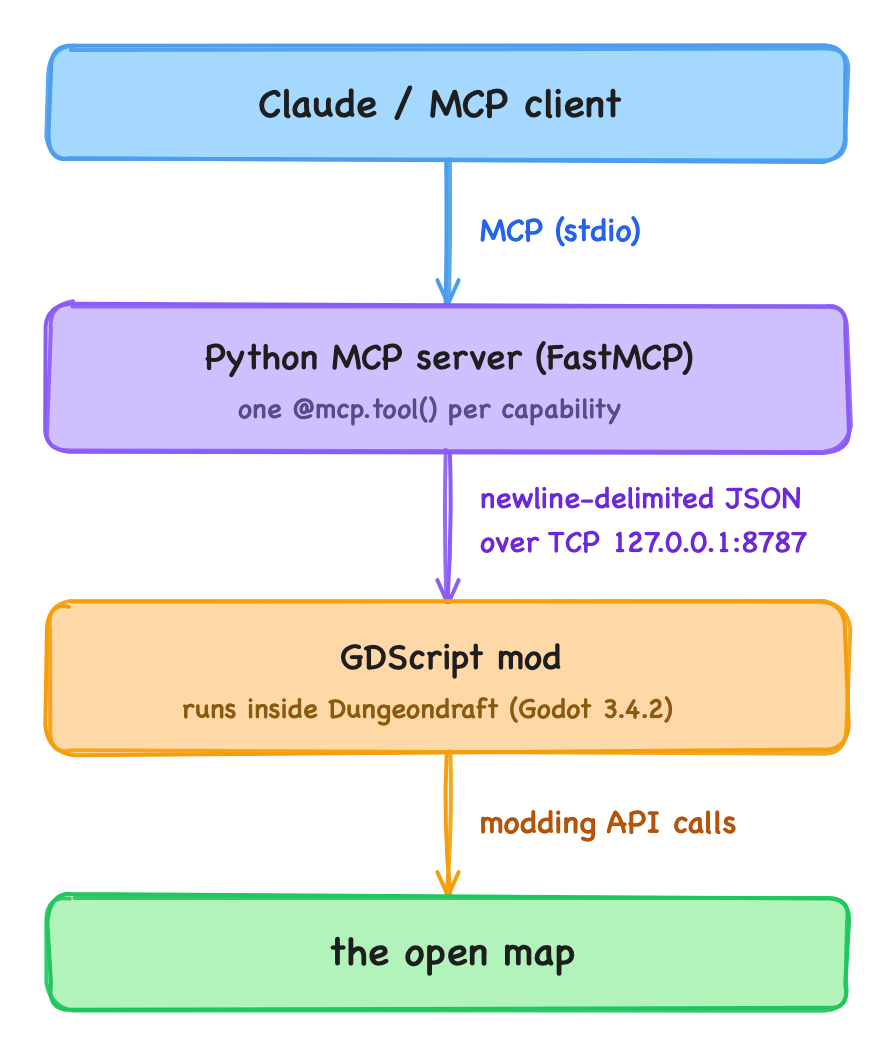
Dungeondraft has no API server, so the project comes in two halves that talk over a localhost socket:
- The mod opens a
TCP_Serverinside Dungeondraft and polls it on every frame from the mod'supdate(delta)hook. Each request is{"cmd": ..., params}. It is dispatched to a handler that calls Dungeondraft's own classes (Objects.CreateObject,Walls.AddWall,PatternShapes.DrawPolygon, …) and answers{"ok": true, "result": ...}. - The Python server (FastMCP) exposes about 40 tools: create, edit, terrain, caves, levels, camera, screenshot and export. Each tool is a thin
bridge.request("cmd", ...)call. Because the screenshot and export tools return images, the model can look at what it built and correct it. - Every element is referenced by Dungeondraft's integer node id, and the bridge keeps its own undo/redo stacks, separate from Ctrl+Z.
What I fixed
None of the three bugs showed up while the map was being built. They only appeared once a human took over the map.
1. "Port already in use" on every new map
Dungeondraft calls the mod's start() on a new script instance each time a map is opened or created, and there is no teardown hook. The previous instance's TCP_Server kept port 8787 bound, so listen() failed. lsof showed that Dungeondraft itself held the port, not the Python process.
Fix: the listener is now process-global. It is stored in Engine metadata, and each new instance adopts it instead of rebinding. Ownership moves to the newest instance, and older instances stop polling. As a side effect, reloading the mod no longer drops the connection.
2. Saves that never finished, and objects you couldn't click
The symptoms: after an MCP session, saving froze Dungeondraft, or the placed objects could not be selected, although walls and lights could. The modding docs say nothing on this, so I extracted Dungeondraft.dll from the game's .pck, decompiled it with ILSpy, and launched Dungeondraft from the terminal to capture its stdout. The log showed:
System.NullReferenceException
  at Pathways.Save ()
  at Level.Save ()
  ...
  at Save.Serialize ()
When Dungeondraft creates an object, path or light through its own tools, it does more than the bare Create* calls the mod was using:
- It sets a
"preview" = falsemeta on each node.Pathways.Save()andLights.Save()read it with a hard(bool)cast. Without it the cast throws, the background save task dies before writing the file, andMaster.IsSavingstaystrue. From then on every save is refused as "busy" until you restart.Objects.Save()wraps the same cast in atry/catch, which made it worse: maps with no paths or lights saved fine but silently dropped every MCP-placed object. - It registers each object in
Objects.AddToSearchTable.SelectToolhit-tests objects only through that spatial index (QuickSearchBuckets), so an object missing from it can never be clicked. Walls and lights are hit-tested another way, which is why they still worked.
Fix: the bridge now registers the nodes it creates the same way Dungeondraft's tools do.
3. Redo produced texture-less ghosts
The bridge undid a create by detaching the node and redid it by re-attaching the same node. For objects this breaks: Prop._EnterTree() builds a fresh, empty Sprite every time the node enters the tree. The re-attached object still showed on screen through its old sprite, but it could not be selected and it was saved without a texture, so Dungeondraft would discard it on the next load.
Fix: undo/redo for objects now works like Dungeondraft's own ObjectRecord. Undo snapshots the object with Prop.Save() and deletes it; redo rebuilds it with Objects.LoadObject(data), which gives it the same id, texture, tint and index entry.
I verified it end to end: I built a test map over MCP, ran undo/redo cycles and deletes, selected each object by hand, saved, and parsed the saved .dungeondraft_map JSON. Every object, path and light was there, with its texture.
Teaching the agent to make maps: a skill
The MCP server gives Claude the tools, but not the craft. Given forty tools and "make me a dungeon", the model draws a few rectangles, scatters some props and calls it done. So on top of the server I wrote a Claude Code skill, dungeondraft-mapmaking: a folder with a SKILL.md and a few scripts. Claude loads it only when a task mentions Dungeondraft or a battlemap.
The workflow, from a mapmaking tutorial
SKILL.md follows a beginner's Dungeondraft mapmaking tutorial, rewritten as tool calls:
- Pre-flight. Run
pingandget_statusfirst. If Dungeondraft is closed, ask the user to open it instead of retrying. If no map is open, ask them to create one, because the bridge cannot create or resize a map. - Plan before drawing. Start small (about 20×20 tiles) and keep a 2-tile margin. Write the floor plan as tile coordinates first. With a reference image (a page from a module, a screenshot), count the tiles on the image instead of guessing.
- Build order. Walls, doors, caves, terrain, floors, paths (cliffs, stairs, fences), outside fill, objects, lights. Each step builds on the one before. For example, a door mounted on a wall cuts its own opening only if the wall already exists.
- Check your own work. After each phase, call
fit_elementsand take ascreenshot. - Gotchas, collected in one place. 256 woxels per tile. The z-order values for caves, terrain, patterns, objects and roofs. Water is not supported by the bridge. Look assets up with
list_assets, because a given asset pack may not be installed.
Inventing a map: dd_layout.py
Tracing a map from a book is mostly counting. Inventing one is a layout problem, and LLMs are bad at spatial layout over dozens of tool calls. So the skill comes with a small script (Python standard library only) that computes the layout. The model only reviews it and applies it.
# 1. plan: doesn't touch Dungeondraft; prints an ASCII preview and writes a JSON plan
python3 dd_layout.py plan --style dungeon --width 30 --height 30 --seed 42 --out plan.json
# 2. apply it one phase at a time, screenshotting in between
python3 dd_layout.py apply plan.json --phases walls,doors
python3 dd_layout.py apply plan.json --phases floors,outside,paths
python3 dd_layout.py apply plan.json --phases objects,lights
It has three styles, dungeon, cave and outdoor, and the algorithms are standard procedural-generation techniques:
| Problem | Algorithm | Source |
|---|---|---|
| Rooms | BSP partition, one room per leaf | RogueBasin |
| Connections | Gabriel graph → minimum spanning tree → ~15% of the dropped edges added back as loops | TinyKeep |
| Room roles | entrance near the edge, "boss" room farthest in graph hops, dead ends become storage, shrine or crypt | Dormans 2010 |
| Furniture | rules: against walls, keep a walking path between doors free, focal piece opposite the entrance, tables with chairs facing them | Merrell et al. 2011 |
| Trees, bushes, rocks | Poisson disk sampling filtered by fractal noise, so you get groves and clearings | Bridson 2007 |
| Roads | A* that avoids buildings and is cheaper on existing road, then Ramer-Douglas-Peucker | — |
Some design choices:
- The plan is data, not calls.
planwrites a JSON list of bridge commands, grouped by phase. The model shows the ASCII preview to the user and changes the seed or parameters until the user likes it, and none of that touches the map. The same seed always produces the same plan. - Furniture is configured, not coded. Fourteen room types (library, barracks, crypt, tavern, smithy…) live in
recipes.jsonas lists of rules. To add a new type of room, you edit JSON. - Assets are resolved at apply time. Each recipe lists search terms (
["bookshelf", "bookcase", "shelf"]), andapplyresolves each one once withlist_assets. It reports what it couldn't find and skips it, and an override file lets you pin exact assets. The created ids are saved next to the plan, so you can edit or delete them later.
The script handles the floor plan and a first pass of furnishing. The polish (overlapping props, extra lights, clutter) is left to the model's hand calls, following the rest of the skill. It's tested against a fake bridge that speaks the same TCP protocol. I haven't yet checked against a live Dungeondraft that object rotations and wall-mounted doors look right, so the skill tells the model to check both with a screenshot on first use.
Takeaways
- When you integrate with closed software through a plugin API, the API docs describe the calls but not what the native tools do as well. Here the real contract was in the decompiled code.
- Run the host app from a terminal and read its stdout. One stack trace settled what hours of guessing could not.
- Test the human hand-off, not just the agent's own loop. Every one of these bugs was invisible to the model, which could still create, list and screenshot everything. They only broke when a person clicked, saved or reopened the map.
- Tools aren't craft. An MCP server tells the model what it can do; a skill tells it what a good result looks like and in which order to get there. Spatial layout is better handled by a deterministic script that the model reviews and applies than by many tool calls the model improvises one at a time.